
Content
Voice messaging with Mote is integrated across Google Workspace apps, including Gmail, making your emails clearer and more engaging. With Mote, you can easily add transcribed voice messages to emails, creating communication that is more personalized, accessible, and time-saving, especially when connecting with students, families, or colleagues.
This integration is ideal for educators who want to build connections through feedback, send multilingual messages, or streamline their email workflow.
📧 Steps to Use Mote’s Gmail Integration:
Open Gmail and compose a new message.
Click the purple Mote icon next to the blue “Send” button.
Begin recording your message—when finished, click the icon again.
That’s it! Your mote message embed card will automatically appear at the bottom of your email.
From here, you can preview, delete, or send your message.

👥 Audience Experience for Mote Gmail Recipients:
Mote voice messages are accessible to recipients with or without the Chrome extension installed. Here’s how the experience differs:
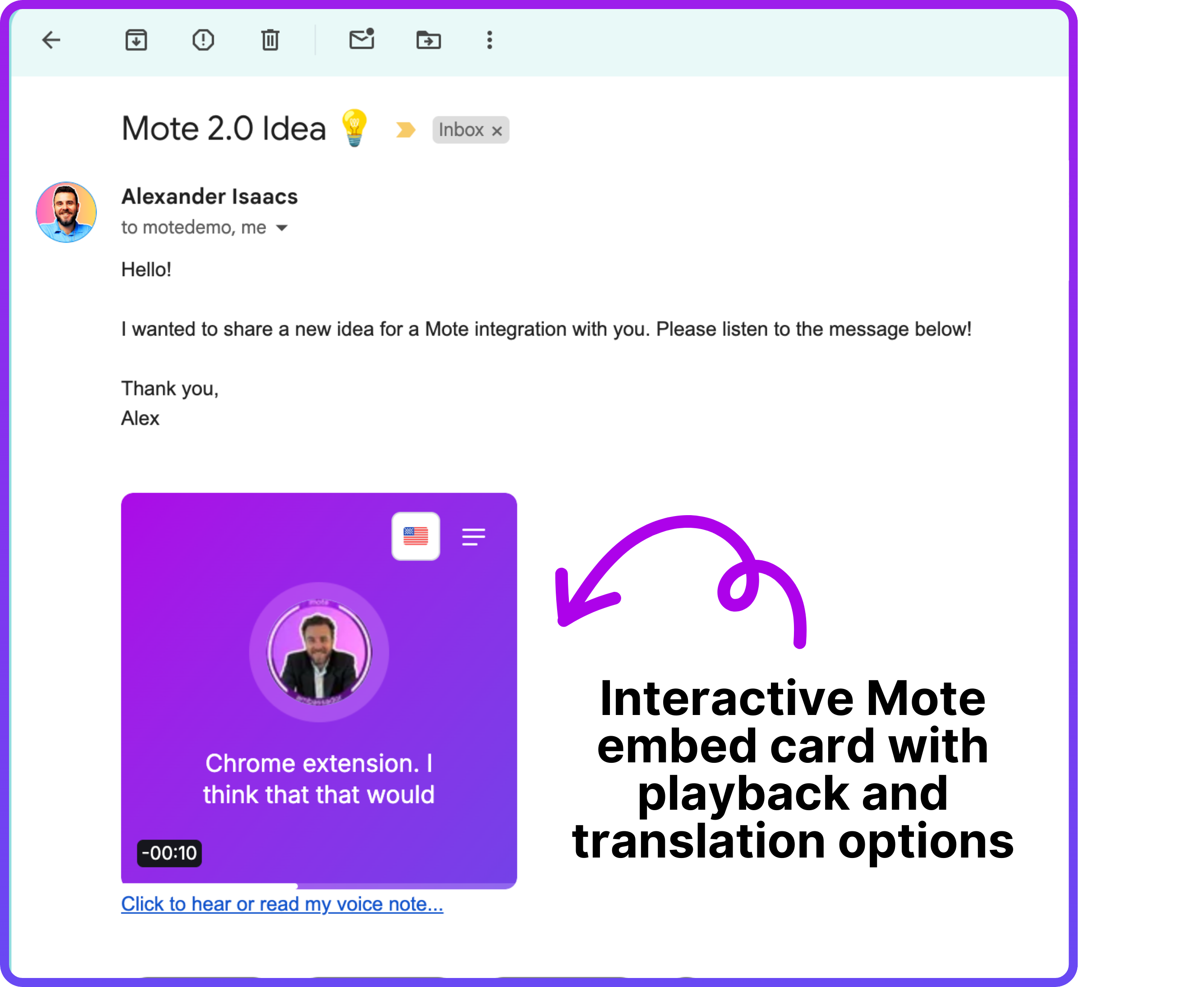
Email Recipients with Mote Installed
Users will see the embedded Mote audio player directly in the email and can:
▶️ Play the message
⏩ Adjust playback speed
📄 View the transcription
🌍 Translate the text transcription
🗣️ Enable Read Aloud in another language
Email Recipients without Mote Installed
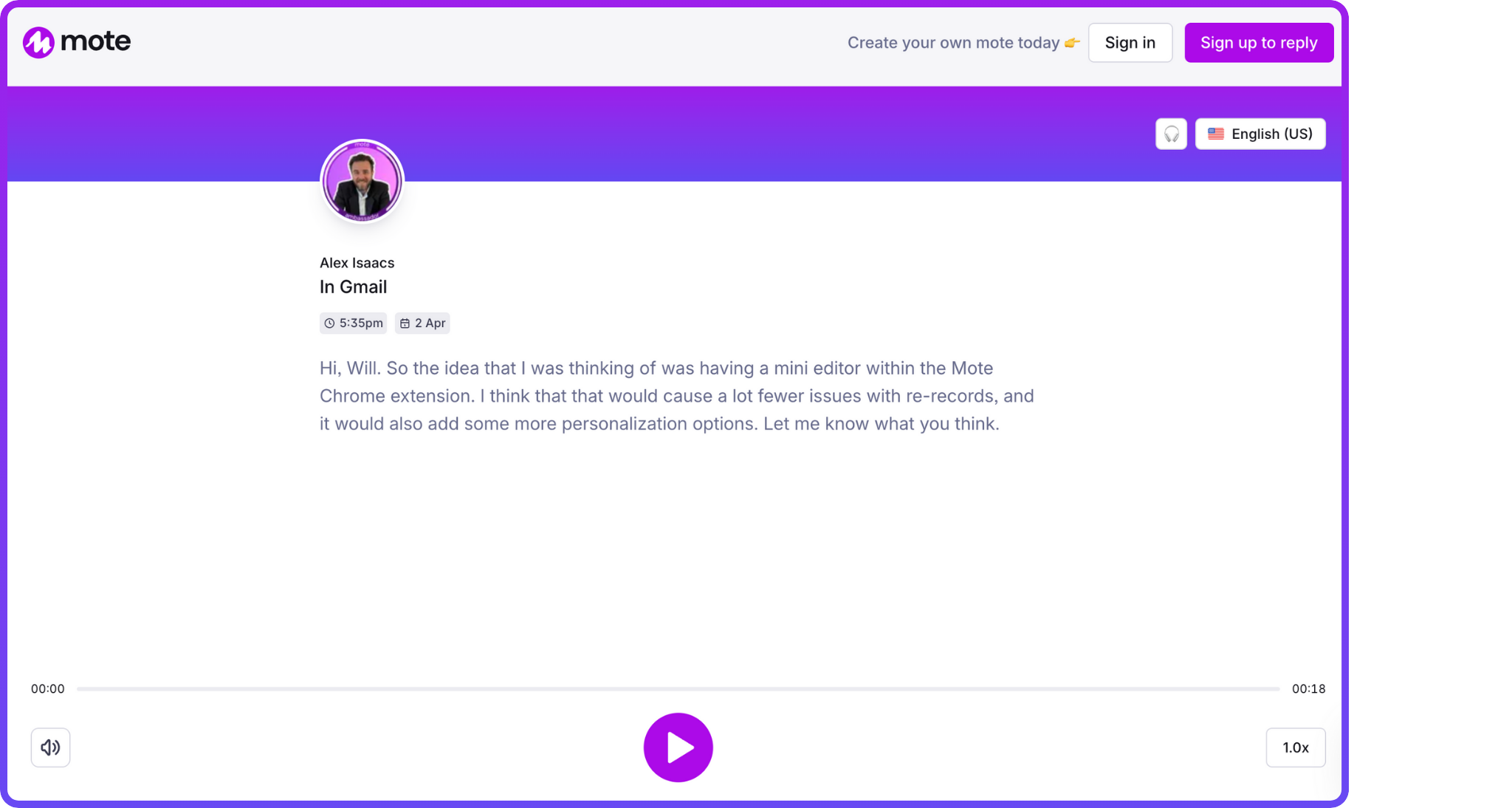
Clicking the Mote player card will open a Mote landing page where they can still:
👂 Hear the voice message
📝 View the transcription (if enabled)
🌐 Access translation and Read Aloud tools
No matter the setup, Mote ensures that your audio messages remain accessible, clear, and inclusive for every recipient.